Yes, you may manage or track how much money comes in and out of your business in BizKo. Go to Statements & Reports in your left menu ladder. Then, you may choose from the following report/view selections:
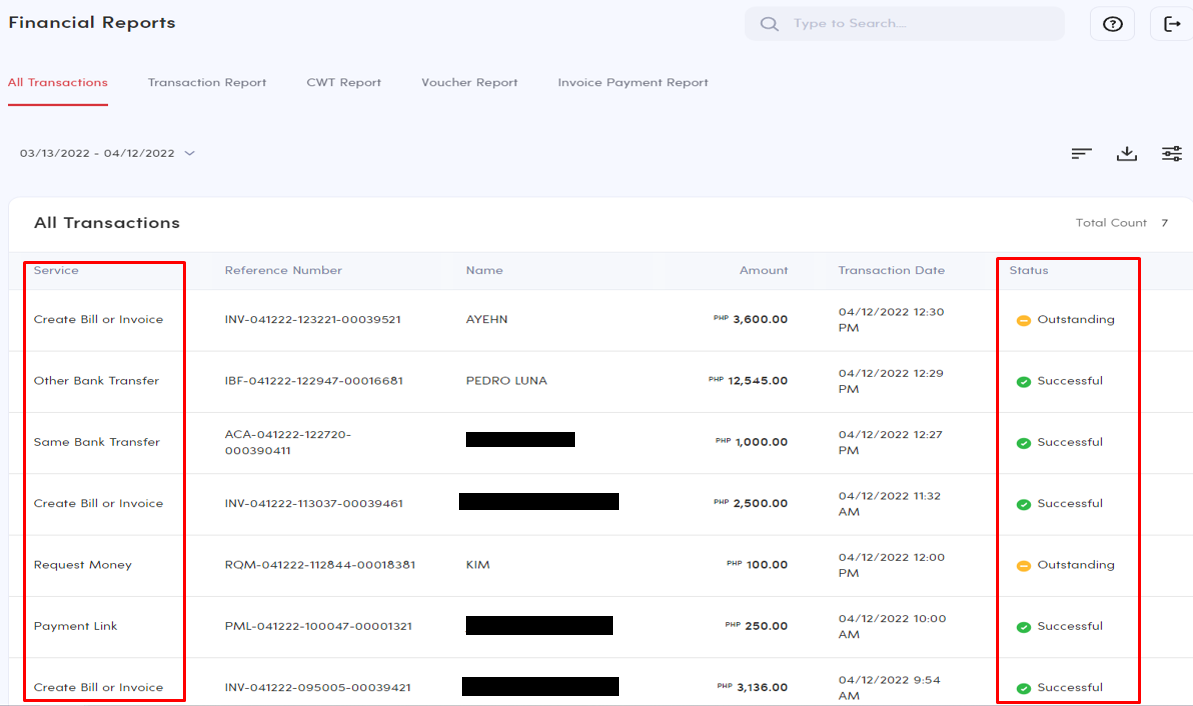
1. Financial Reports - This report provides you view of all your financial transaction.
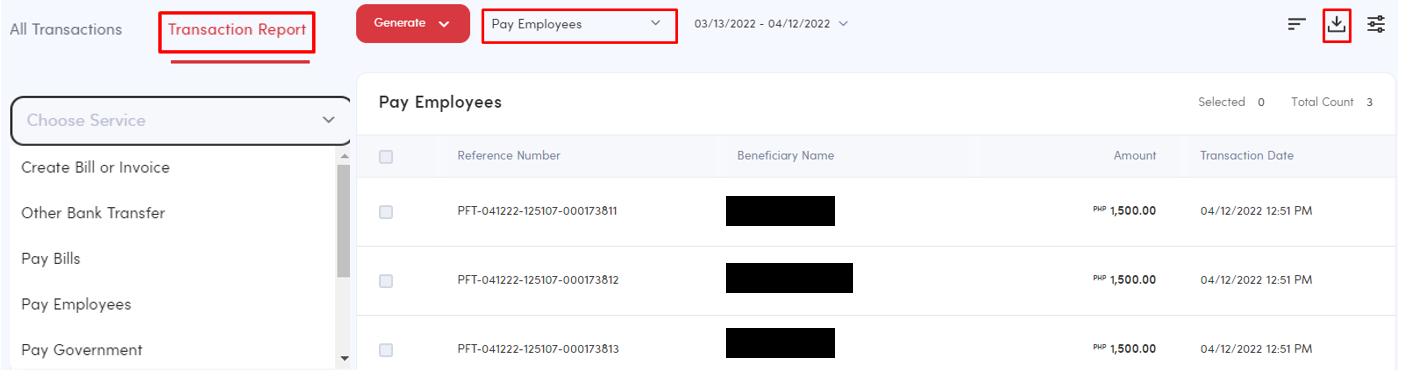
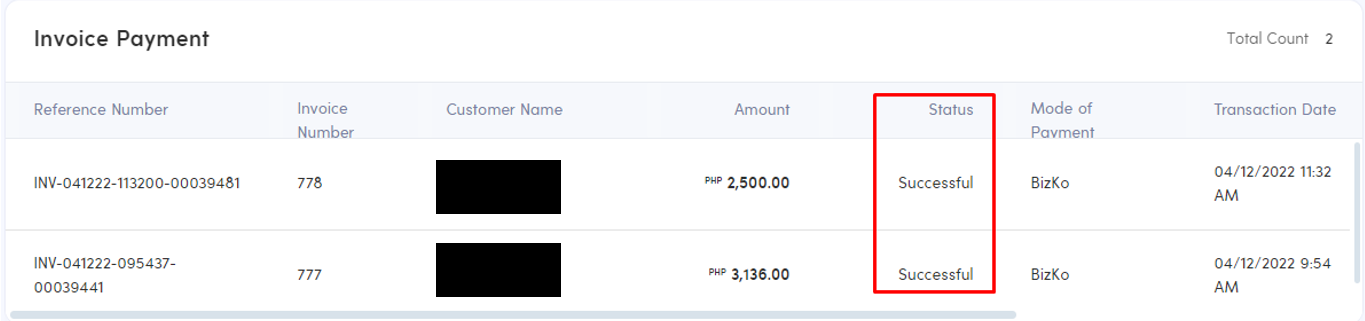
There are selection on how you can view your financial reports:
- All Transactions - one report view of all transactions created in different services
- Transaction Report - a report view of transactions created per service.
- Invoice Payment Report - a report view of invoice/s and bill/s created that were paid.
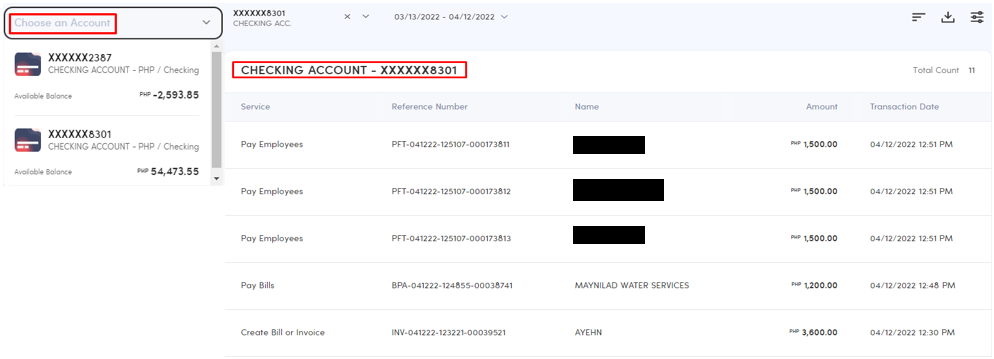
2. Account Reports - This report provides you view of your transactions per bank account linked to your BizKo.
Note:
You may custom-display your reports based on your preference.
You may generate or download the report/s too via PDF, XLS, CSV, HTML.
Comments
0 comments
Please sign in to leave a comment.